Speed of Sound Technologies

Mobile Enhancement Experts in Milford CT

55 Woodmont Rd., Milford, CT 203-954-0066
  • Home
  • About Us
  • Services
    • Car Audio
    • Custom Installation
    • Driver Safety
    • Radar/Laser Detectors
    • Remote Starters
    • Truck Accessories
    • Vehicle Security
    • Window Tint
  • Location and Directions
  • Contact Us
  • Facebook
  • Instagram

Bang For Your Buck: Car Audio Source Unit Specifications

Source Unit SpecificationsIn a recent article, we discussed the features to look for when choosing a new source unit for your vehicle. In this article, we delve deeper into the source unit specifications manufacturers provide and explain what they mean, in hopes of helping you weed out a solution that performs the way you want. Charge up your calculators and pull a pen from your pocket protector: It’s numbers time!

Source Unit Specifications

Source Unit SpecificationsIn the good old days of car audio, print magazines (remember those?) would publish product test reports that included both listening and bench test information. While at least one these publications still exists, the plethora of numerical information simply isn’t disseminated the way it used to be. That means shoppers have to rely on specifications printed by the manufacturer. In most cases, these numbers are accurate and serve as a good foundation for comparing certain performance characteristics of a product.

One thing that numbers can’t easily describe is the sound of a product. We can look at frequency response graphs and distortion specifications until we are blue in the face – that information does not describe what the distortion looks like or what causes it. That makes it crucially important to audition each component of your system before making a purchase. This is where your local specialist car audio retailer can help. Most have display boards and demo vehicles set up to let you experience different products and see their installation teams’ capabilities.

Head Unit Power Specifications

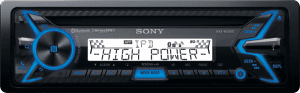
Almost every head unit on the market has a built-in four-channel amplifier. These amplifiers vary in power product capabilities between 14 and 55 watts of power. That said, among the most-popular and misleading specifications found on most head units are their power ratings.

When comparing specs, you want to look for ratings that use an industry standard like CEA-2006 (now called CTA-2006). This specification outlines the criteria for the power measurements. Any specification using this standard requires a power supply voltage of 14.4 volts, a load impedance of 4 ohms and no more than 1% total harmonic distortion in the output signal. Comparing max or peak power ratings is like buying a sports car based on the largest number on the speedometer or the speed rating of the tires. That information simply isn’t relevant.

How Amplifier Power Works
Source Unit Specifications
Select Sony radios offer true 55 watts per channel.

Before we move on to the next subject, we should talk about how important deck power is. Let’s use an example of a speaker that is rated to produce 89 dB of output when driven with a 2.83 V signal, measured at a distance of 1 meter from the speaker. 2.83 V equates to 2 watts of power into a 4 ohm speaker. If we double the power to 4 watts, the output increases by 3 dB to 92 dB. Doubling power again takes us to 8 watts and 95 dB. Next, we get to 16 watts and 98 dB of output, then 32 watts and 101 dB. These numbers assume that the speaker is operating linearly and without any form of power compression (reduction in output due to heating effects). For most head units, the most undistorted output we are going to get from a single speaker is around 99 or 100 dB.

Because it takes logarithmically more power to increase output, small differences in amplifier power result in very small changes in perceived output. Let’s take for example the difference between a 14 watt and a 22 watt head unit. This increase in power represents an increase of less than 2 dB of output. Going from a 22 watt head unit to something that will produce 55 watts of power yields almost 4 dB more output.

Our point? Don’t nit-pick over one or two watts when comparing amplifiers of any kind. You probably can’t hear the difference. That said, if you aren’t going to buy a stand-alone amplifier for your system, you will want as much power as possible from the source unit.

Background Noise Specifications
Source Unit Specifications
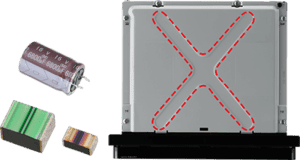
Premium audio components can help reduce the noise floor.

For true music lovers, one important measure of a source unit’s quality is its ability to reproduce your music without adding unwanted background noise. When you look at head unit specifications, this characteristic is called the signal-to-noise ratio and is expressed in decibels.

Here’s how the specification works. Let’s say you are playing a test tone at a level of 2 volts into a 4 ohm load. If a device has a signal-to-noise ratio of 80 dB, this means that the background noise (hiss) created by the unit is 80 dB quieter than the 2 V signal.

It is important to know how these measurements are performed. Using the CTA-2006 standard allows for easily comparable specifications. It is worth noting that many companies still rate the noise their products add relative to the maximum output level of the device. This means an amplifier rated to produce 10 watts of power and having an S/N ratio of 80 dB when referenced to full power, the real signal-to-noise ratio is 70 dB when referenced to 1 watt (2 volts into a 4 ohm load). Keep an eye out for this when comparing specifications.

Pre-amp Output Voltage
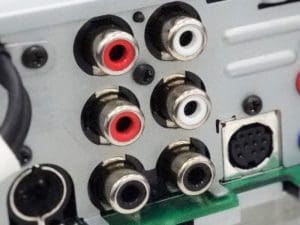
Source Unit SpecificationsInterestingly enough, pre-amp output voltage is tied directly to the signal-to-noise ratio measurement of the source unit and the amplifier you choose for your system. Having extra output voltage means that you can turn down the sensitivity of your amplifier while still being able to produce maximum power for your speakers.

Let’s use a fictitious amplifier example – one that offers a signal to noise ratio of 90 dB when driven at an output of 1 watt with the sensitivity control set to produce maximum power with a 4 volt signal. That noise from each device accumulates as the audio signal passes from one component to another. Do you choose a source unit with a 90 dB S/N ratio rating that can only produce 2 V on the preamp outputs or one with a rating of 87 dB that can produce 4 volts? You probably have to turn the sensitivity control up on your amplifier with the latter choice, resulting in roughly the same net background noise. Audio systems are a sum of their parts.

Tuner Specifications

Source Unit SpecificationsOver the past few years, the perceived quality of radio tuners in aftermarket source units has decreased. Tuners are not as big a focus as they used to be. The Pioneer SuperTuner IIID, Clarion Magi-Tune+, Sony’s SSIR-EXA and the old Blaupunkt radios from the 1980s offered excellent sensitivity and selectivity.

Sensitivity specifications are rated in dBf units. The dBf describes signal strength in decibels relative to 1 femtowatt. Some specifications are provided in microvolts relative to a specified impedance. As with any specification, it’s important to understand the test criteria. Additional specifications are often provided.

Let’s look at an example tuner with a Usable Sensitivity specification of 9.3 dBf.

This specification describes the weakest signal that the tuner can capture and lock on to. Weaker signals (lower numbers) will not be recognized as a radio station. For the best sensitivity (ability to lock onto a radio station), look for lower numbers.

To fully understand this specification, you need a second number to quantify the quality of the audio signal that is produced. In the case of this unit, that specification is 30 dB. This means that when the unit is locked onto a signal with a strength of 9.3 dBf, the background noise will be 30 dB quieter than the information.

To complicate the discussion as much as possible, it should be noted that most people will find a signal to noise ratio of 30 dB to be quite annoying. 50 dB is a better number. To achieve this noise ratio, this tuner requires a minimum signal strength of 10.2 dBf. Sadly, different manufacturers provide their specs using different quieting (background noise) levels, so trying to compare apples to apples can be frustrating.

How Important are Specifications?

The way your audio system is designed will determine the importance of the varying specifications. If you always use SiriusXM or Pandora, then tuner quality won’t be a significant issue. If you are running external amplifiers, then internal amplifier power doesn’t matter, but the preamp voltage does. No matter how you design your system, noise and distortion specifications do matter – keep that in mind when you go shopping.

When it’s time to upgrade your audio system, pack up your favorite music and head to your local car stereo specialist retailer. They can help you sift through the myriad of products available to find a solution that meets your feature and performance expectations.

This article is written and produced by the team at www.BestCarAudio.com. Reproduction or use of any kind is prohibited without the express written permission of 1sixty8 media.
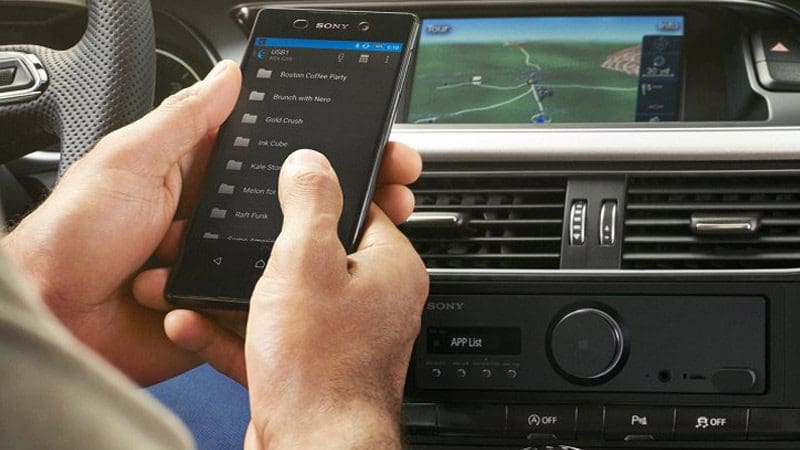
Filed Under: ARTICLES, Car Audio, RESOURCE LIBRARY

Bang For Your Buck: Car Audio Source Unit Features

Source UnitsA long time ago, a friend of mine told me always to ask a salesperson what I would get if I spent 10 percent to 15 percent more on an item I wanted to purchase. At the time, the discussion was related to a large tube-style television. Let’s say the TV I was looking at sold for $800. If stepping up to a $900 model resulted in a better picture, or the addition of a feature that I would enjoy, then it would be worth the investment. In the mobile electronics industry, or perhaps consumer electronics in general, few customers ask, “What do I get for a little bit more?” This article will be the first of many that discuss the true performance features of mobile electronics products. For this article, we’ll look at better source units. What do you get when you spend more and how you benefit from those feature or performance upgrades?

Source Units – Displays

Source UnitsIt should be no surprise that the majority of source unit discussions center on multimedia receivers. These marvels of modern technology include full-blown computers with a CPU, operating system, storage and peripherals. Car audio manufacturers bundle all the good stuff into a nice, compact package that is relatively easy to install.
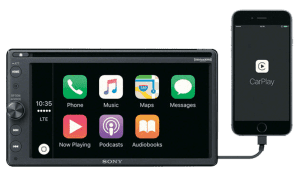
When it comes to multimedia displays, the biggest difference you will see is screen size. Smaller screens are usually about 6.2 inches in size (measured diagonally). A benefit of this moderate screen size is the ability to include large buttons or a rotary volume control to the left of the screen. The second option for screen sizes is around 7 inches. While this is an increase of only about 12 percent of the screen area, larger screens are easier to read quickly.

Another consideration when it comes to multimedia displays is the type of touchscreen interface. Entry- to mid-level units use a resistive touch screen. Resistive screens use a thin, flexible membrane that bends ever so slightly when you press on them. Data about the point where the front membrane comes into contact with the rear membrane is relayed to the computer, and an appropriate response is generated.

Capacitive touchscreens detect minute changes in voltage caused by the presence of a conductive object near the screen. Your finger has enough conductivity to effect a change in voltage where you touch the screen. Capacitive screens are clearer than resistive because there are fewer material layers and no need for a flexible membrane. The drawback of capacitive screens is that you can’t use them while wearing gloves. All modern smartphones use capacitive screens.

Another option is display and button customization. As you move up through the model range, you can often choose different background and button colors.

Smartphone Integration Solutions

Source UnitsWhen you are shopping for a new receiver, you may want to consider asking about Apple CarPlay and Android Auto. These smartphone solutions use voice recognition technologies to make performing common tasks easier and safer. You can send a text message, choose the music you want to listen to or get navigation directions, all by simply talking to your radio. These technologies have associated hardware requirements put forth by Apple and Google, and include technology licensing costs. As such, they cost extra to purchase, but they are well worth the investment.
Audio and Tuning Features

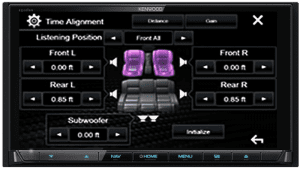
Source UnitsIf you are passionate about your music, look for a source unit that includes crossovers. The ability to filter the signals created by the source unit will let you add a subwoofer to improve the performance of your audio system dramatically. Having simple bass, midrange and treble controls may be adequate to let you adjust your sound system. More elaborate signal processing solutions include multi-band equalization that is source dependent. In many cases, advanced signal processing features include some level of configurable or adjustable signal delay to improve the soundstage in the vehicle. Before you buy a source unit, listen to the difference that a little tuning can make. You may find that advanced processing is something you want.
Source Unit Connectivity

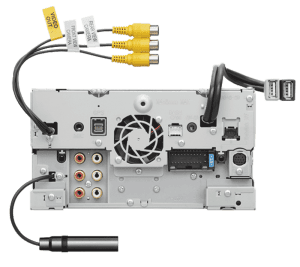
Source UnitsHooking things up to your radio is part of the fun of upgrading your vehicle. The most basic of source units may include Bluetooth, a USB port, an auxiliary input, a backup camera connection and preamp outputs for external amplifiers. As you move up through a brand’s models, you’ll discover functions like SiriusXM compatibility, multiple USB connections, support for more than one phone, multiple camera inputs, multiple video inputs, HDMI input, multi-zone outputs and more. Do your homework before you go shopping. Decide what functions you want before you leave the house. Your retailer can start with that to help you choose a solution.
Internal Features

Source Units
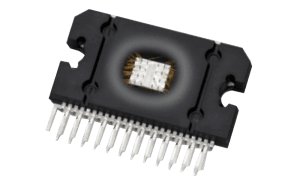
Sony’s Dynamic Reality Amp 2 chip can produce up to 55 watts per channel.

There are a lot of features that don’t get discussed too often but can dramatically change the user experience with a new source unit. On the radio side of things, HD Radio offers excellent sound quality and added information display. Even a feature as simple as RDS display, which lets you know what song you are listening to, is nice to have. A high-power amplifier will make your music sound better. Some radios offer only 14 or 15 watts of power while others can produce as much as 55 watts. The difference is clearly audible.

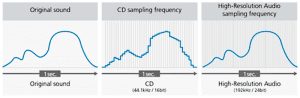
Source UnitsAnother important consideration is digital media compatibility. Most systems will play MP3 and WMA audio files. As you step up in features, you gain support for AAC, WAV and FLAC files. Upgrading even further gets you support for high-resolution audio formats that offer audio content beyond 20kHz. The second consideration for digital media compatibility is video. Determining whether a source unit will play video files is the first step. Second is the type of files. MPEG and WMV file playback is found on mid-level systems. Premium solutions add H.264 formats and often support MKV containers.
Vehicle Integration

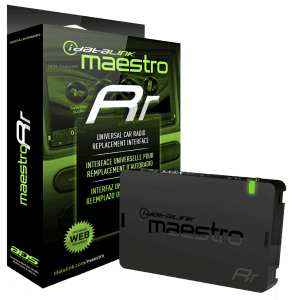
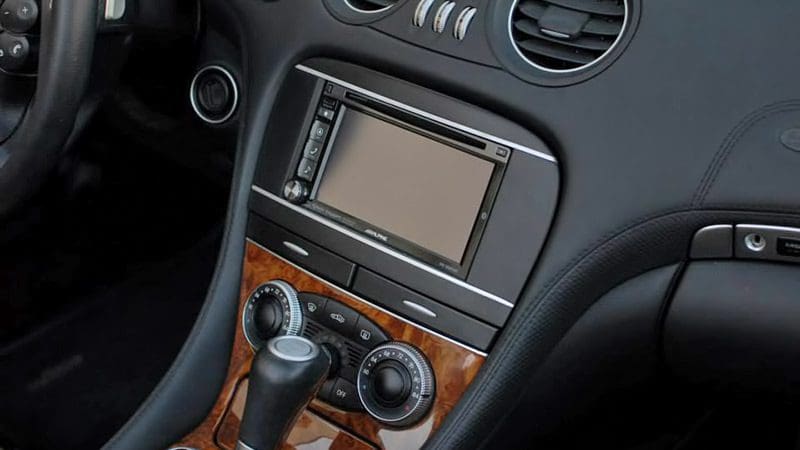
Source UnitsAlmost every multimedia receiver includes a steering wheel control interface connection. This connection allows your installer to configure an external interface that will allow the audio adjustment buttons on your steering wheel to work with your new radio. If you are looking for advanced integration, the iDatalink Maestro RR interface allows bidirectional communication with the CAN bus in your vehicle and many applications, as well as compatibility with factory backup cameras, UBS ports and infotainment solutions like Uconnect and Ford Sync. Depending on the vehicle and trim level, climate settings can also be controlled through the Maestro RR.
How to Choose Better Source Units

As we mentioned, do your homework before you walk out of the house to visit your local mobile enhancement retailer. If you have kids and would like them to be able to watch movies while you drive, then you’ll want a source unit with dual-zone capabilities. Likewise, a backup camera, satellite radio, Apple CarPlay and Android Auto are all very popular and common options for a new radio purchase. Don’t be afraid to ask the salesperson who is working with you about buying a better source unit; you may find out you can’t live without one of those features.

This article is written and produced by the team at www.BestCarAudio.com. Reproduction or use of any kind is prohibited without the express written permission of 1sixty8 media.

Filed Under: ARTICLES, Car Audio, RESOURCE LIBRARY

Advanced Source Unit Integration

Source Unit IntegrationIf you ask someone in the mobile electronics industry what “source unit integration” means, they’ll probably tell you about making an aftermarket radio fit into the dash of a vehicle and allowing it to send audio to the speakers. For decades, this has been the extent of the task.
Physical Source Unit Integration

Source Unit Integration
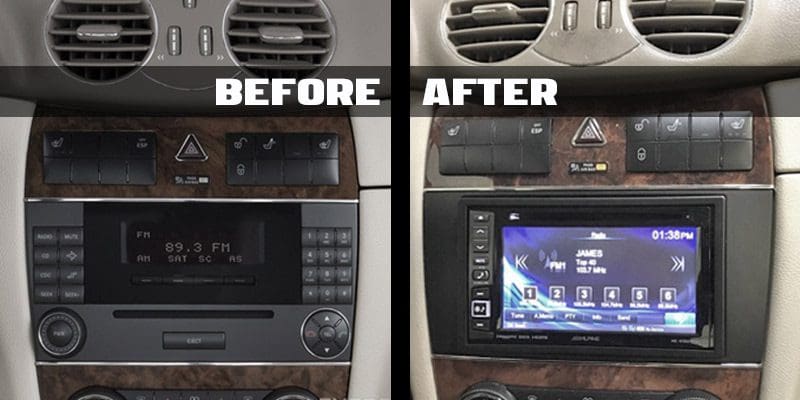
Extreme Audio Installed a radio in a Mercedes Benz CLK350 using a dash kit.

Mounting a new radio in the dash of most vehicles involves the purchase of a mounting kit. These kits are designed to accept a new radio and mount to the vehicle using factory fastener locations. Depending on the application, these kits can be as simple as a trim ring or set of panels for either side of the radio. In complex applications, the kit may include an entirely new trim panel and provisions to work with the factory climate controls, hazard switches, passenger airbag status displays and, of course, air vents.

Electrical Interface

Source Unit Integration
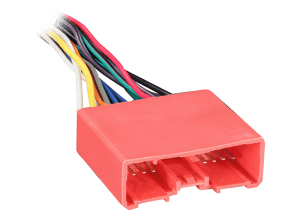
This wire harness is typical of a basic electrical integration interface.

Even the simplest of radio installations requires a wire harness adapter. These adapters include a plug that is a direct connection to the factory radio wire harness. Your installer will connect the plug to your new radio to provide power, ground, accessory and speaker connections.

In some more-complex applications, an interface is required to change the signal coming out of the radio into something that will work with a factory amplifier. Vehicles with factory-installed Bose sound systems are a common example of vehicles that need more-elaborate interfaces.

A second challenge is vehicles that use data communication with the radio to perform simple functions. Many Chrysler radios require a CAN bus interface to provide an accessory output to turn on an aftermarket radio.

Function Integration

Source Unit IntegrationAs far back as the early 1980s (and maybe further), automakers started including buttons on the steering wheel that would mimic the volume, source selection and tracking functions of those on the radio. These buttons allow the driver to keep his or her hands on the steering wheel while adjusting the audio system. Of course, any feature that promotes ease of use and safety is adopted quickly across the industry.

In the mid 1990s, aftermarket radio manufacturers added a data input connection on the back of their radios that would allow an external interface to translate commands from the factory steering wheel controls into messages that the radio could understand.

Advanced Vehicle Integration Solutions

Source Unit IntegrationAs automakers evolve the functionality of their infotainment systems, the aftermarket has forged forward with ways to work with those features and technologies. Once climate controls, vehicle configuration settings and integrated entertainment solutions like Ford Sync, Chrysler Uconnect and OnStar became part of the “radio,” upgrading factory source units became exceedingly difficult.
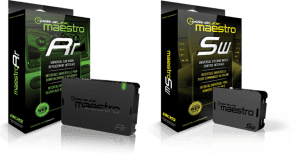
iDatalink in Montreal, Quebec, recognized this challenge and set to work on creating an interface solution that would allow compatible aftermarket source units to work with these new technologies. In 2015, iDatalink launched Maestro in partnership with Kenwood. Shortly after, Alpine, Pioneer and JVC soon adopted support for this vehicle integration technology.

What is iDatalink Maestro?

Source Unit IntegrationThe iDatalink guys are best known for their remote car starter systems and data interface solutions. Their expertise in working with vehicle data networks translates directly to integration with infotainment systems. Maestro launched with two product solutions: a steering wheel control interface called the SW and a data interface called the RR. SW stands for steering wheel and RR for radio replacement. The SW product is pretty straightforward, while the RR is quite complex. Let’s look at what RR offers.
Maestro RR – Radio Replacement Interface

Source Unit IntegrationThe Maestro RR is like a steering wheel interface on steroids. The system provides bidirectional communication with various vehicle functions. When an RR is used with a compatible aftermarket radio, factory entertainment systems like Sync and uConnect become part of the aftermarket radio. The driver can adjust vehicle settings, including keyless entry options, lighting controls, factory remote control functions, door lock functionality and more. The specific features and functions depend on the vehicle and the make and model of radio you choose.
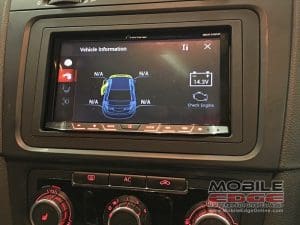
The second part of the RR solution is integration with factory safety systems like parking sensors, collision avoidance systems, blind spot monitoring and cross-traffic alerts. The Maestro unit routes alerts from these systems through the factory-installed chime speaker. In some applications, the system directs alerts to an appropriate sound system speaker. Additional features include compatibility with factory backup camera systems and satellite radio receivers.

Additional Vehicle Information Features

Because the Maestro RR communicates with the vehicle on the CAN data network, it has access to a massive amount of information. The RR includes a vehicle information screen that shows battery voltage, tire pressure sensor information, door status and even diagnostic trouble codes (DTCs for short). In most applications, the system can clear DTC codes as well.

Maestro RR includes a Performance Gauges screen that will show information like vehicle speed, engine RPM, air intake temperature, turbo or supercharger boost pressure, fuel levels, and more. You can configure up to five gauges for display at any time. A new Track Pack feature will record 0–60 times, ¼-mile times and braking distance. The Track Pack stores the last five runs, so you can compare your driving style or changes to the vehicle.

Applications and Compatibility

Source Unit Integration
Integration specialists like Mobile Edge can help educate you on the Maestro RR features available for your vehicle.

Keep in mind that, not every function we have mentioned is available for every vehicle. For example, if you don’t have a factory-installed tire pressure monitoring system, your new radio certainly won’t be able to display tire pressure information. Your local mobile enhancement retailer can help you choose a radio with the features and functions you want and let you know what compatibility is available from the Maestro RR.

Make Technology Work for You

If you have a vehicle that doesn’t have Apple CarPlay or Android Auto, visit your local mobile enhancement retailer and ask about upgrading to the latest infotainment technologies. They can provide you with details on everything required to integrate that new source unit into your vehicle and, of course, let you know what bonus features and functions a Maestro RR offers.

This article is written and produced by the team at www.BestCarAudio.com. Reproduction or use of any kind is prohibited without the express written permission of 1sixty8 media.

Filed Under: ARTICLES, Car Audio, RESOURCE LIBRARY

Buy Used, Then Upgrade Smart

Used Vehicle Technology Upgrades

Buying a used vehicle is no longer simply a low-priced compromise to buying a new one. It can provide dependable transportation, reduce financial exposure, and free up money for the technology and safety upgrades it may not have, but that matter to you.

Used Vehicle Technology UpgradesNew vehicles have become extremely expensive across nearly every major class, with Kelley Blue Book indicating that the average new-vehicle transaction price reached $49,758 in June 2026. Compact cars averaged $27,978, subcompact SUVs $31,133, compact SUVs $37,707, midsize SUVs $49,792, and full-size pickup trucks $66,427, as reported by Cox Automotive Inc.

The higher prices are also pushing consumers toward longer financing, often to bring the monthly vehicle payment down to a somewhat reasonable level. Experian reported that the average new-vehicle loan term reached 69.48 months in the first quarter of 2026. More than 35 percent of new-vehicle loans extended beyond six years, while the average amount financed rose to $43,925 and the average monthly payment reached $770. Longer terms can reduce the monthly payment, but they may keep you in debt longer and increase total interest costs.

Let the First Owner Absorb Depreciation

Used Vehicle Technology UpgradesA new vehicle begins losing value almost as soon as you drive it off the lot. Kelley Blue Book estimates that the typical new vehicle loses about 16 percent during its first year and roughly 30 percent within two years. It may lose approximately 55 percent of its original purchase price within five years.

Buying a used vehicle allows the first owner to absorb much of that early loss. A carefully selected vehicle that is only a few years old may still offer strong reliability and years of useful service at a considerably lower price. The savings may allow a buyer to choose a higher trim level, reduce the amount financed, shorten the loan term, or reserve funds for maintenance and upgrades.

Older Vehicles Can Gain Modern Technology

Used Vehicle Technology UpgradesAnd a used vehicle does not have to feel outdated. Many features found in newer models can be added through professionally selected aftermarket products. An MECP-certified sales professional can evaluate the vehicle, identify compatible equipment, and explain which features can be integrated without purchasing an entirely new car.

Depending on the vehicle, upgrades may include Apple CarPlay, Android Auto, navigation, hands-free calling, improved lighting, and enhanced audio systems. Safety and awareness products may include blind spot monitoring, rearview cameras, dash cameras, and parking sensors.

This approach lets consumers invest in features they will actually use instead of paying for an expensive factory package that includes unwanted options.

Certification Matters During Installation

Modern vehicles contain interconnected electrical, data, entertainment, security, and safety systems. Adding equipment is rarely as simple as connecting power and mounting a device. Incorrect wiring, overloaded circuits, poor grounding, damaged data connections, or improper disassembly can cause warning lights, battery drain, system failures, or interference with original functions.

Used Vehicle Technology UpgradesA shop that employs MECP-certified technicians can safely install aftermarket automotive information technology, entertainment, navigation, safety, and security systems. They are educated in installation techniques, industry best practices, system integration, and diagnosis of complex automotive systems.

A certified professional can identify sensitive OEM components, understand how factory safety equipment communicates, and select appropriate interfaces and connection methods. Proper integration helps avoid unnecessary wiring alterations, protects critical circuits, and reduces the risk of disrupting airbags, cameras, sensors, amplifiers, security systems, or vehicle networks.

Professional procedures can also help preserve manufacturer warranty protections by avoiding preventable damage or improper modification of covered components. Documented, standards-based work offers greater protection than improvised connections or shortcuts.

Spend Less Without Sacrificing Useful Features

Buying used can lower the purchase price, reduce exposure to early depreciation, and help you avoid stretching payments across six or seven years. With support from an MECP-certified sales professional or installation technician, an older vehicle can gain meaningful technology and safety improvements while respecting its original electrical and safety architecture.

You can locate qualified professionals and learn more at MECP.com. The result can be a smarter financial decision, a more personalized vehicle, and greater confidence that upgrades are being planned and performed correctly.

This article is written and produced by the team at www.BestCarAudio.com. Reproduction or use of any kind is prohibited without the express written permission of 1sixty8 media.

Filed Under: ARTICLES, Car Audio, PRODUCTS, RESOURCE LIBRARY Tagged With: MECP

Car Audio System Design Considerations

System DesignWhen you go shopping for a computer, it’s important that all the pieces work together to provide maximum performance and reliability. When you head out to upgrade your car audio system, your salesperson should ask you a series of questions that will help them identify the perfect solution for your needs and application. When it comes to car audio system design, there are many variables. In this article, we will look at a few upgrade considerations talk about some options to enhance the performance of your system.
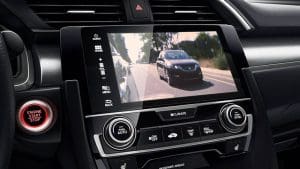
Heads Up!?

System DesignFor decades, car audio system upgrades have followed the recipe of a new radio, front and rear speakers, an amplifier and a subwoofer. Lately, it’s becoming difficult or impossible to remove the factory radio from many vehicles. In these situations, your mobile enhancement retailer should be able to provide you with options to make use of the signal from the factory source unit or amplifier, then upgrade the performance of the system with new speakers, a subwoofer and an amplifier.
Adding a subwoofer to your system is always a great idea. A subwoofer should be the first thing you upgrade in any vehicle. Once you have a speaker dedicated to reproducing low-frequency information, the smaller speakers in the car or truck can focus on mid-bass, midrange and high-frequency duties.

Regarding the overall listening experience, having a new amplifier and new front and rear speakers should let your system play a lot louder with less distortion. Having rear speakers playing as loudly as the front speakers will wrap the sound around you as though you are listening to a set of headphones. A system like this is unlikely to offer any improvement in staging or imaging unless you invest in a digital signal processor of some sort. Listening to a system with great staging is like sitting in the audience at a concert or in front of a set of home stereo speakers.

The Front Stage Upgrade

System Design
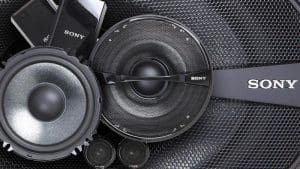
Speakers like the Sony GS series reviewed in one of our Product Spotlights make a great upgrade.

If you are interested in recreating your music with a sense of realism regarding placement, your system design will need to change. Instead of upgrading the rear speakers, a better option might be to invest your speaker budget in a set of good component speakers for the front of your vehicle. You can choose an amplifier with a built-in DSP that allows your installer to tune the system. If you pick a five- or six-channel amplifier, your installer can wire the tweeters and midrange drivers to dedicated channels, then connect the subwoofer to the rear or subwoofer channels.

Once configured properly, a system like this reproduces your music from an imaginary stage that spans the width of your dashboard. If the tune is really on-point, you should be able to pick out individual instruments and identify their locations on this soundstage. With careful tuning, the sound from the subwoofer will seem to come from the dash, rather than the rear of your vehicle. Finally, high-quality speakers can handle more power and produce less distortion than moderately priced OEM-replacement options.

The Front Stage Mistake

To maximize the features and capabilities of a DSP, each speaker should have its own amplifier channel. If you use a two-channel amp and a set of components with passive crossovers, your installer won’t have full control over the tweeter level relative to the midrange. He can’t change the crossover slopes between the mid and tweeter or adjust the signal delay to each driver.

The Balance of Power

System Design
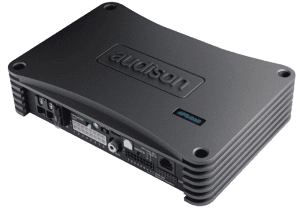
The Audison AP8.9 Bit offers plenty of power and onboard DSP.

Picking the right size amplifier for your system is important. If you listen at high volumes, then power is very important. That said, you’ll need to choose speakers that can handle those high power levels in order for the system to be reliable. Even though a manufacturer prints a huge number like 250 or 350 watts on the box, it’s unlikely the speakers can handle that amount of power for any significant amount of time. Always look for the continuous power handling numbers, no peak or maximum ratings.

If you like a lot of bass, then you have some choices to make about subwoofers. Do you pick a single sub that can handle, say 1,000 watts of power? What about two subwoofers that can handle 500 watts? The proper choice depends on your budget, but also on the capabilities of the subwoofers themselves. Can the 1,000-watt subwoofer move as much air as the pair of 500-watt subwoofers? The answer will depend on some computer modeling and requires some consideration as to how much space you can afford to provide for the subwoofers. Two subs are going to require a much larger enclosure.

The Recipe Book for System Design

System DesignShopping for an audio system upgrade is like cooking: You need to determine what you want long before you head to the grocery store. Do you want loud? Do you want incredible accuracy? Do you want something that does not affect the cargo capacity of your vehicle? What is your budget for the project? Do you want to do everything at once? Only once you have a plan in place can you get an accurate quote to upgrade your vehicle. You may learn or experience something new as you do your research. It’s certainly OK to change your plan.

Drop by your local mobile enhancement retailer today and ask some questions. Let them know what you like about your existing car audio system, and what you would like to improve. If they have a demo vehicle, ask for a demonstration. Hearing someone else’s vehicle can be an eye-opening experience. Listen to their advice about system design and don’t be afraid to ask questions. Take your time with the system design plan and you’ll end up with great results.

This article is written and produced by the team at www.BestCarAudio.com. Reproduction or use of any kind is prohibited without the express written permission of 1sixty8 media.

Filed Under: ARTICLES, Car Audio, RESOURCE LIBRARY

  • 1
  • 2
  • 3
  • …
  • 27
  • Next Page »

Recent Articles

The Audison Thesis Marine Speakers

Product Spotlight: Audison Thesis Marine Speakers

November 2, 2026 

At cruising speed on an open deck, music has no cabin walls to reinforce it, and it must compete with wind, engines and hull noise. Audison, the Italian company whose Thesis line … [Read More...]

An apple car play headunit

Bang For Your Buck: Car Audio Source Unit Specifications

November 1, 2026 

In a recent article, we discussed the features to look for when choosing a new source unit for your vehicle. In this article, we delve deeper into the source unit specifications … [Read More...]

A man connecting his phone to his car system

Bang For Your Buck: Car Audio Source Unit Features

October 4, 2026 

A long time ago, a friend of mine told me always to ask a salesperson what I would get if I spent 10 percent to 15 percent more on an item I wanted to purchase. At the time, the … [Read More...]

The DroneMobile XC2

Product Spotlight: Drone XC2

September 21, 2026 

These days, security is top-of-mind for vehicle owners. The team at Firstech addressed this several years ago with their impressive Drone XC LTE-connected dash camera and vehicle … [Read More...]

Testimonials

Very Friendly Staff

Very friendly staff, knowledgeable group . Needed help on my remote starter, they got me back up and running in no time . They also do amazing tint jobs!!

I recommend then to everyone!

Super great place to get lots of custom things done. Very nice, very knowledgeable and very fare prices. I recommend to everyone I know.

Will be going back for sure!

Very happy with how the tint came out. Professional and friendly. Will be going back for sure.

Subscribe to Our Website

Enter your email address to subscribe to our website and receive notifications of new posts by email.

Location

55 Woodmont Road, Milford, CT 06460

Get Directions to Speed of Sound Technologies

Connect With Us

  • Facebook
  • Instagram

Services

  • Car Audio
  • Custom Installation
  • Driver Safety
  • Radar/Laser Detectors
  • Remote Starters
  • Truck Accessories
  • Vehicle Security
  • Window Tint

Hours

Monday, Tuesday, Wednesday, Thursday, Friday9:00 am – 6:00 pm
Saturday9:00 am – 5:00 pm

Closed
Sunday

Copyright © 2026 Speed of Sound Technologies · Privacy Policy · Website by 1sixty8 media, inc. · Log in

Loading Comments...