Speed of Sound Technologies

Mobile Enhancement Experts in Milford CT

55 Woodmont Rd., Milford, CT 203-954-0066
  • Home
  • About Us
  • Services
    • Car Audio
    • Custom Installation
    • Driver Safety
    • Radar/Laser Detectors
    • Remote Starters
    • Truck Accessories
    • Vehicle Security
    • Window Tint
  • Location and Directions
  • Contact Us
  • Facebook
  • Instagram

Bang For Your Buck: Car Audio Source Unit Features

Source UnitsA long time ago, a friend of mine told me always to ask a salesperson what I would get if I spent 10 percent to 15 percent more on an item I wanted to purchase. At the time, the discussion was related to a large tube-style television. Let’s say the TV I was looking at sold for $800. If stepping up to a $900 model resulted in a better picture, or the addition of a feature that I would enjoy, then it would be worth the investment. In the mobile electronics industry, or perhaps consumer electronics in general, few customers ask, “What do I get for a little bit more?” This article will be the first of many that discuss the true performance features of mobile electronics products. For this article, we’ll look at better source units. What do you get when you spend more and how you benefit from those feature or performance upgrades?

Source Units – Displays

Source UnitsIt should be no surprise that the majority of source unit discussions center on multimedia receivers. These marvels of modern technology include full-blown computers with a CPU, operating system, storage and peripherals. Car audio manufacturers bundle all the good stuff into a nice, compact package that is relatively easy to install.

When it comes to multimedia displays, the biggest difference you will see is screen size. Smaller screens are usually about 6.2 inches in size (measured diagonally). A benefit of this moderate screen size is the ability to include large buttons or a rotary volume control to the left of the screen. The second option for screen sizes is around 7 inches. While this is an increase of only about 12 percent of the screen area, larger screens are easier to read quickly.

Another consideration when it comes to multimedia displays is the type of touchscreen interface. Entry- to mid-level units use a resistive touch screen. Resistive screens use a thin, flexible membrane that bends ever so slightly when you press on them. Data about the point where the front membrane comes into contact with the rear membrane is relayed to the computer, and an appropriate response is generated.

Capacitive touchscreens detect minute changes in voltage caused by the presence of a conductive object near the screen. Your finger has enough conductivity to effect a change in voltage where you touch the screen. Capacitive screens are clearer than resistive because there are fewer material layers and no need for a flexible membrane. The drawback of capacitive screens is that you can’t use them while wearing gloves. All modern smartphones use capacitive screens.

Another option is display and button customization. As you move up through the model range, you can often choose different background and button colors.

Smartphone Integration Solutions

Source UnitsWhen you are shopping for a new receiver, you may want to consider asking about Apple CarPlay and Android Auto. These smartphone solutions use voice recognition technologies to make performing common tasks easier and safer. You can send a text message, choose the music you want to listen to or get navigation directions, all by simply talking to your radio. These technologies have associated hardware requirements put forth by Apple and Google, and include technology licensing costs. As such, they cost extra to purchase, but they are well worth the investment.

Audio and Tuning Features

Source UnitsIf you are passionate about your music, look for a source unit that includes crossovers. The ability to filter the signals created by the source unit will let you add a subwoofer to improve the performance of your audio system dramatically. Having simple bass, midrange and treble controls may be adequate to let you adjust your sound system. More elaborate signal processing solutions include multi-band equalization that is source dependent. In many cases, advanced signal processing features include some level of configurable or adjustable signal delay to improve the soundstage in the vehicle. Before you buy a source unit, listen to the difference that a little tuning can make. You may find that advanced processing is something you want.

Source Unit Connectivity

Source UnitsHooking things up to your radio is part of the fun of upgrading your vehicle. The most basic of source units may include Bluetooth, a USB port, an auxiliary input, a backup camera connection and preamp outputs for external amplifiers. As you move up through a brand’s models, you’ll discover functions like SiriusXM compatibility, multiple USB connections, support for more than one phone, multiple camera inputs, multiple video inputs, HDMI input, multi-zone outputs and more. Do your homework before you go shopping. Decide what functions you want before you leave the house. Your retailer can start with that to help you choose a solution.

Internal Features

Source Units
Sony’s Dynamic Reality Amp 2 chip can produce up to 55 watts per channel.

There are a lot of features that don’t get discussed too often but can dramatically change the user experience with a new source unit. On the radio side of things, HD Radio offers excellent sound quality and added information display. Even a feature as simple as RDS display, which lets you know what song you are listening to, is nice to have. A high-power amplifier will make your music sound better. Some radios offer only 14 or 15 watts of power while others can produce as much as 55 watts. The difference is clearly audible.

Source UnitsAnother important consideration is digital media compatibility. Most systems will play MP3 and WMA audio files. As you step up in features, you gain support for AAC, WAV and FLAC files. Upgrading even further gets you support for high-resolution audio formats that offer audio content beyond 20kHz. The second consideration for digital media compatibility is video. Determining whether a source unit will play video files is the first step. Second is the type of files. MPEG and WMV file playback is found on mid-level systems. Premium solutions add H.264 formats and often support MKV containers.

Vehicle Integration

Source UnitsAlmost every multimedia receiver includes a steering wheel control interface connection. This connection allows your installer to configure an external interface that will allow the audio adjustment buttons on your steering wheel to work with your new radio. If you are looking for advanced integration, the iDatalink Maestro RR interface allows bidirectional communication with the CAN bus in your vehicle and many applications, as well as compatibility with factory backup cameras, UBS ports and infotainment solutions like Uconnect and Ford Sync. Depending on the vehicle and trim level, climate settings can also be controlled through the Maestro RR.

How to Choose Better Source Units

As we mentioned, do your homework before you walk out of the house to visit your local mobile enhancement retailer. If you have kids and would like them to be able to watch movies while you drive, then you’ll want a source unit with dual-zone capabilities. Likewise, a backup camera, satellite radio, Apple CarPlay and Android Auto are all very popular and common options for a new radio purchase. Don’t be afraid to ask the salesperson who is working with you about buying a better source unit; you may find out you can’t live without one of those features.

This article is written and produced by the team at www.BestCarAudio.com. Reproduction or use of any kind is prohibited without the express written permission of 1sixty8 media.
Filed Under: ARTICLES, Car Audio, RESOURCE LIBRARY

Product Spotlight: Drone XC2

Product Spotlight: Drone XC2

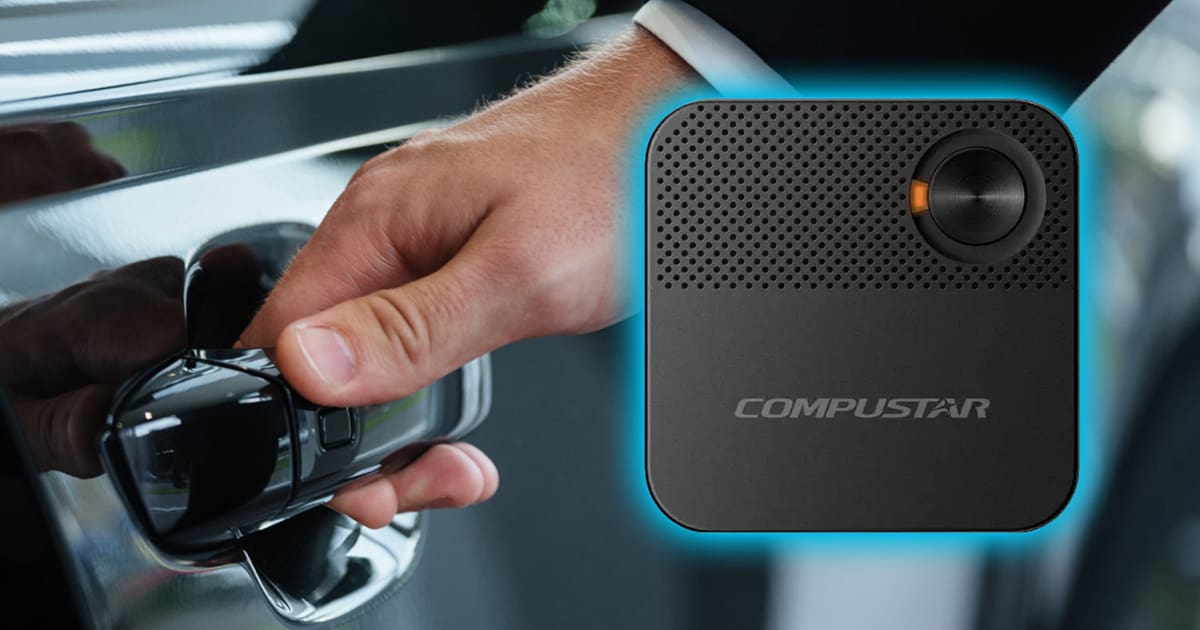
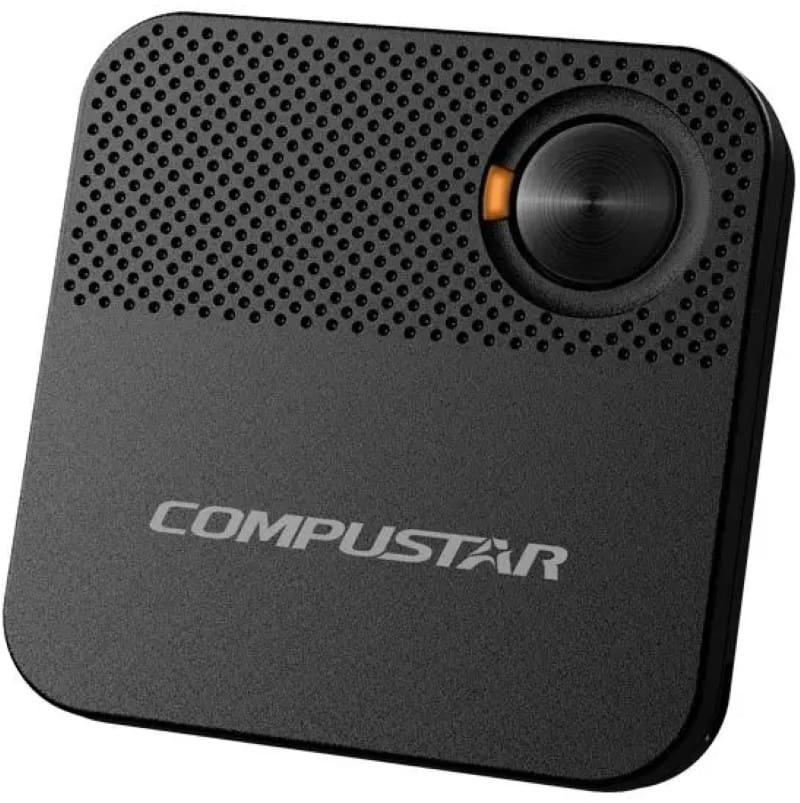
These days, security is top-of-mind for vehicle owners. The team at Firstech addressed this several years ago with their impressive Drone XC LTE-connected dash camera and vehicle convenience module. The product has recently been upgraded and is now known as the XC2. Let’s look at this unique security and vehicle control solution.

What is the Drone XC2?

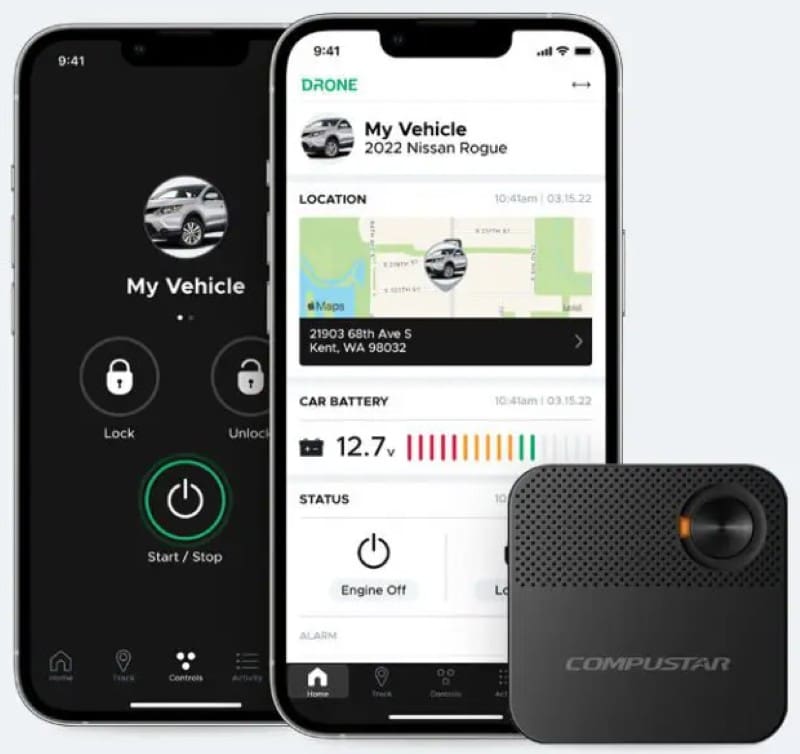
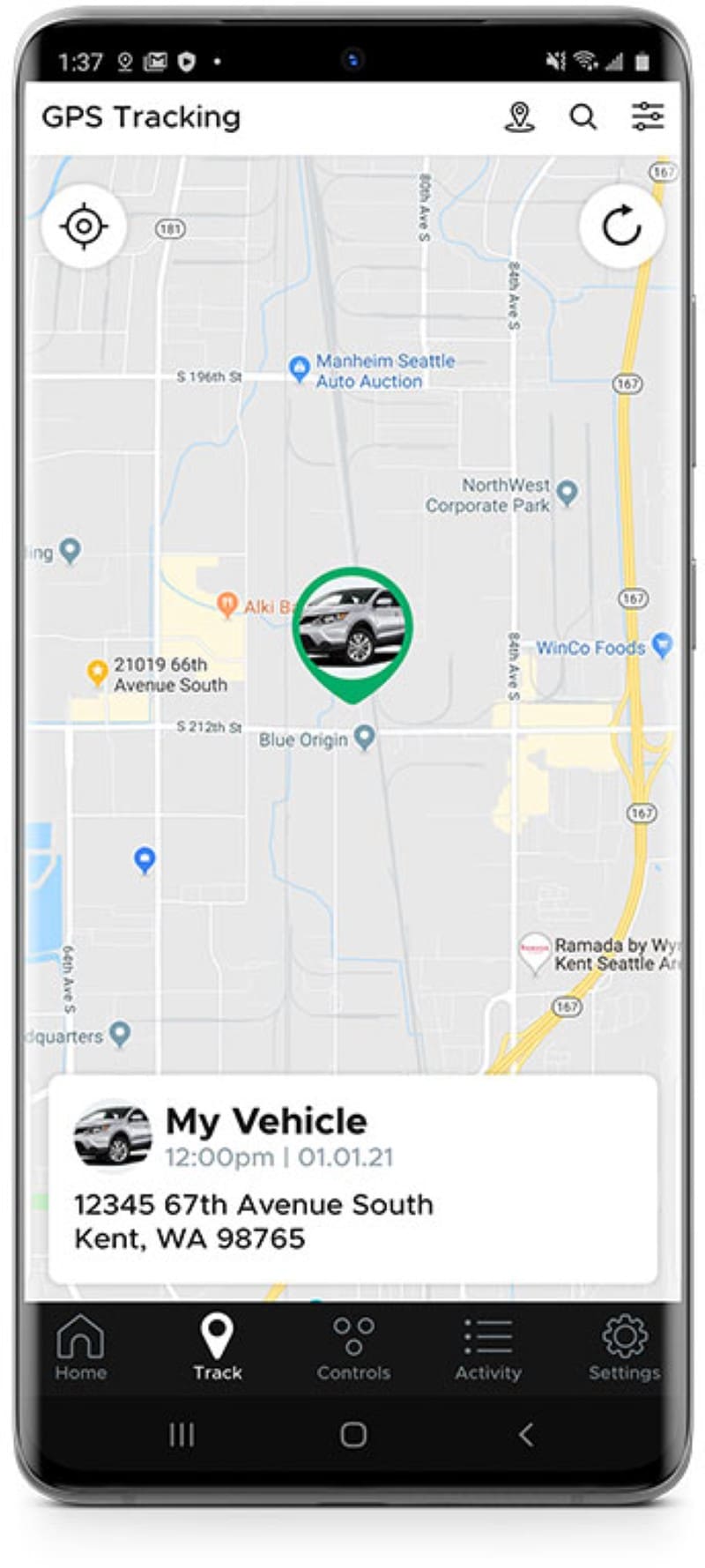
The Drone XC2 is unlike any other product in the mobile enhancement industry. The XC2 includes a Drone vehicle telematics interface. This interface, on its own, provides basic security features such as glass breakage, motion, tilt and impact detection. The XC2 can also monitor the vehicle battery voltage. All of these warnings are pushed to the DroneMobile app on your smartphone in near real-time.

The Drone XC2 features GPS-based vehicle tracking. You can look up the vehicle’s location on the DroneMobile.com website or in the DroneMobile smartphone app. Impressively, the process takes only a few seconds, something that isn’t true of many factory-installed telematics systems. The system also supports geofence alerts that notify you when the vehicle enters or exits a preset location or area.

Dash Camera Features

Product Spotlight: Drone XC2
The Drone XC2 dash camera features a 2K QHD Sony Starvis image sensor to capture impressive levels of detail.

The Drone XC2 is a 2K QHD dash camera that records everything that happens in front of your vehicle while you are driving. The system uses a Sony Starvis IMX335 image sensor, which is well-known and highly respected in the dash camera industry.

One of the more significant changes between the Drone XC and the Drone XC2 is that the latter now supports three video channels. The XC supported two video channels, allowing the built-in front camera to work with either an RC1 rear camera or IR1 infrared interior camera. The XC2 adds a third channel, so you can monitor the front, rear and interior of the vehicle simultaneously.

The Drone XC2 has several parking mode surveillance features. The camera can record when it detects motion or impact. The system can also be configured for time-lapse recording.

The XC2 comes with a 64GB microSD memory card. The system supports microSD cards up to 512GB to extend recording time. XC2 also comes with an OBD-II harness to simplify the integration process for your installer.

LTE-Connected Dash Camera

Product Spotlight: Drone XC2
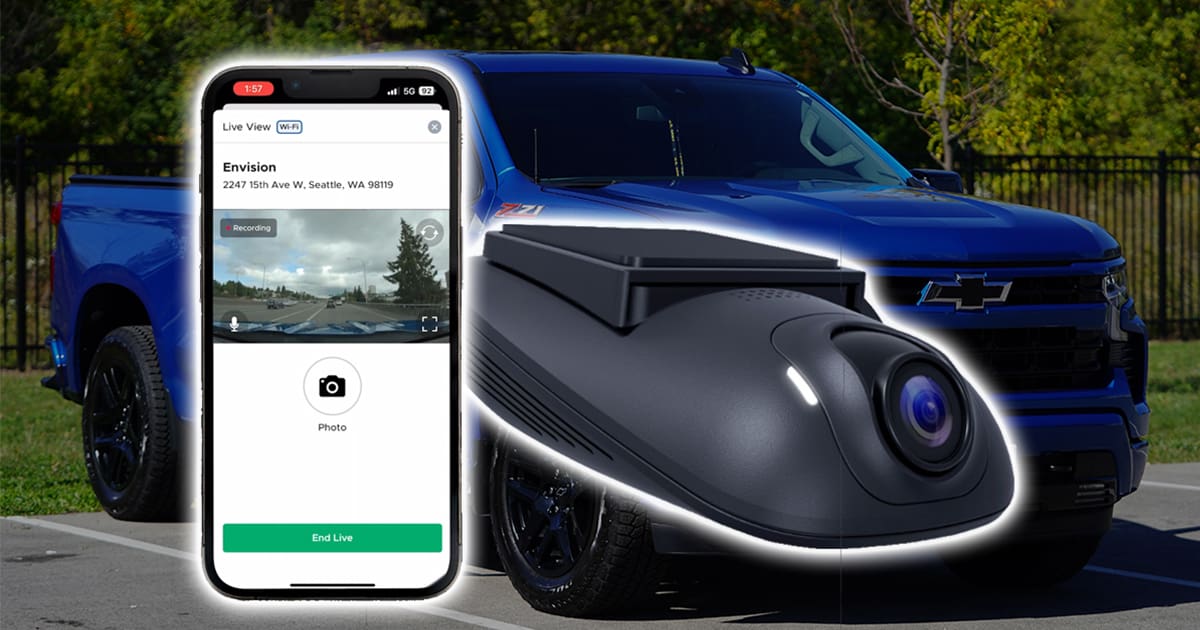
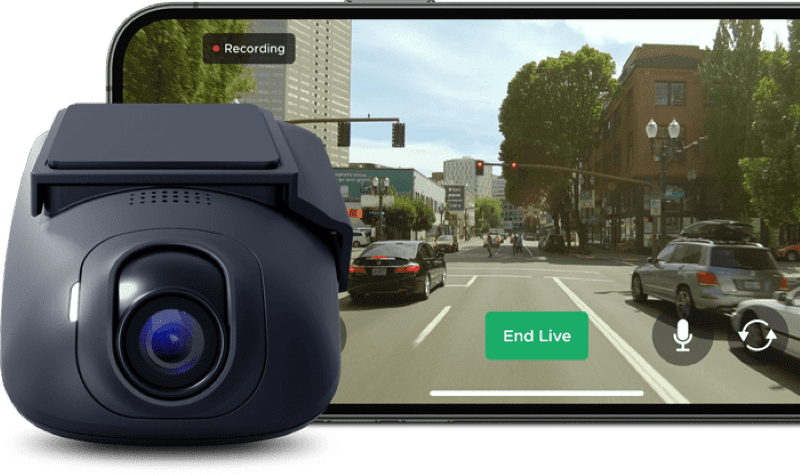
The DroneMobile app lets you view any camera connected to the XC2 in real time.

A feature that makes the Drone XC2 truly unique in the dash camera marketplace is its LTE connectivity. This means you can view the camera image on your smartphone from anywhere with an Internet connection. If the impact sensor is triggered, you can check the camera feed or stored footage to see what triggered it. You can even look at the cameras in real time using the Live View feature.

Firstech has also improved the XC2’s cloud-based functionality. When an impact or other qualifying event occurs, a compressed video preview is automatically uploaded to the cloud. The XC2’s improved compression allows it to upload considerably more video while using less cellular data. The increased compression makes the preview files much faster to download than those from the XC. If you need the full-resolution video, you can download it over LTE or the XC2’s local Wi-Fi connection.

The system includes a power-saving mode that helps prevent the XC2 from over-discharging the vehicle’s battery. When the battery voltage drops, the system disables GPS and Wi-Fi to conserve power.

Connected Dash Cameras for Fleet Vehicles

Internet-connected dash cameras are also becoming more popular in commercial fleets. The ability to access event video, vehicle location and security alerts remotely can save time compared with retrieving footage from a memory card. The Drone XC2 seems particularly well suited to small and midsize fleets using cars, pickups and vans. Its combination of video recording, GPS tracking, geofencing and vehicle security provides many useful fleet-management features without requiring a more complex commercial telematics platform.

Vehicle Integration Offers Convenience

Product Spotlight: Drone XC2
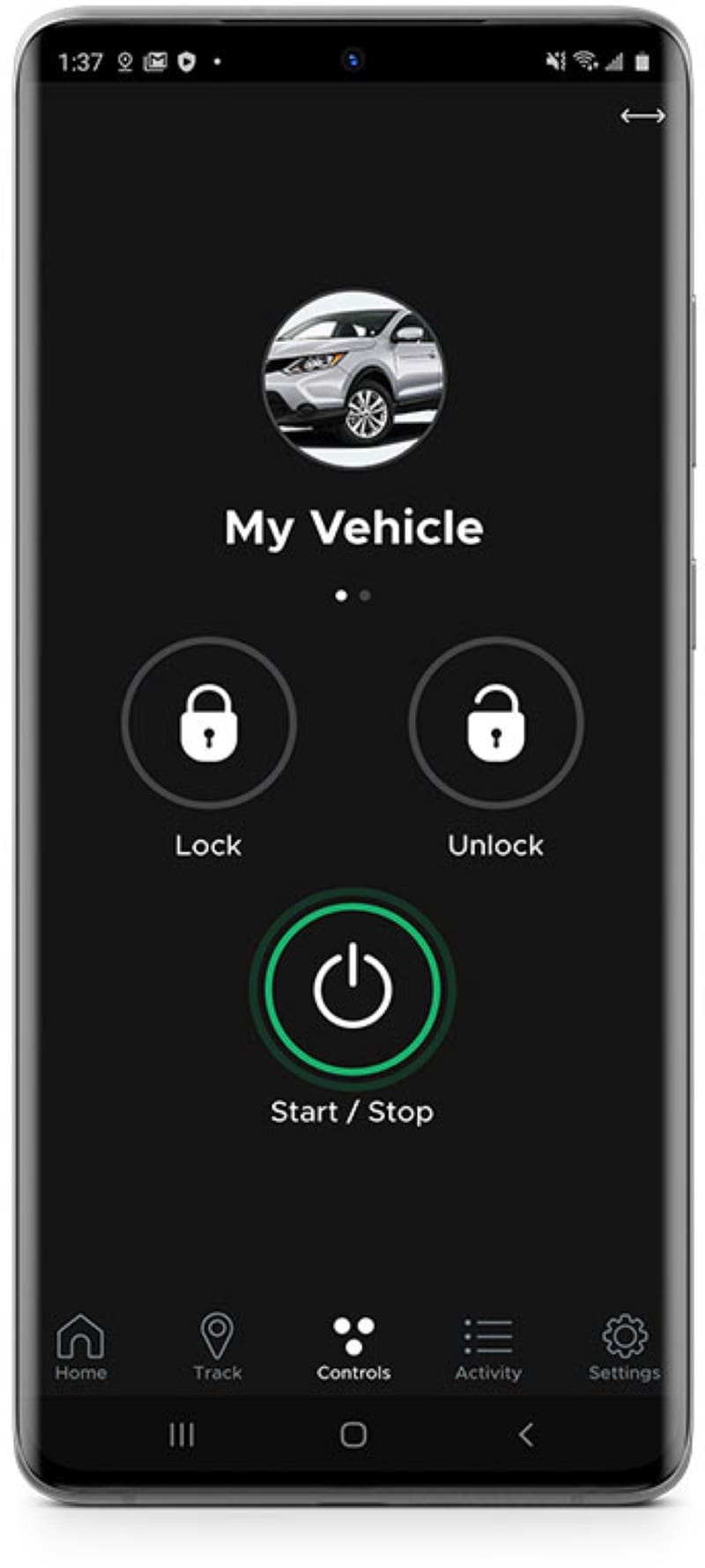
The Drone telematics system works with the DroneMobile app to let you control your vehicle remotely.

The Drone XC2 isn’t only a connected dash camera. It can also connect compatible aftermarket remote starters and security systems to the DroneMobile app. This allows users to control supported functions such as door locking and unlocking, trunk release, auxiliary outputs and remote starting from their smartphone or DroneMobile.com. The auxiliary outputs can be used to control heated seats, rear window defroster, or sliding side doors. If you opt for a remote starter, then you can start the vehicle from your smartphone or the DroneMobile.com website. The latter is a key feature if you happen to lock your keys and phone in your car or truck. You’d be surprised at how often this happens.

Smartphone-connected services such as remote camera viewing, cloud uploading, geofence alerts and vehicle control require a subscription to a DroneMobile Dash Cam plan. Plans currently start at $15.99 USD per month. There are discounts if you pay annually or choose a three-year plan.

Protect Yourself and Your Vehicle

Whether you are worried about staged accidents and insurance fraud, someone damaging your vehicle in a parking lot or simply want to know what’s happening around your vehicle at all times, the Drone XC2 is for you. This is the industry’s only dash camera that integrates seamlessly with aftermarket remote starters and alarms. You can find an authorized Drone retailer using the Find a Dealer feature on the DroneMobile.com website. Visit a local specialty retailer to find out more.

Be sure to follow Drone on Facebook, Instagram, and YouTube to stay up to date with their latest products and technologies.

This article is written and produced by the team at www.BestCarAudio.com. Reproduction or use of any kind is prohibited without the express written permission of 1sixty8 media.
Filed Under: ARTICLES, Dash Cameras, PRODUCTS, RESOURCE LIBRARY

Advanced Source Unit Integration

Source Unit IntegrationIf you ask someone in the mobile electronics industry what “source unit integration” means, they’ll probably tell you about making an aftermarket radio fit into the dash of a vehicle and allowing it to send audio to the speakers. For decades, this has been the extent of the task.

Physical Source Unit Integration

Source Unit Integration
Extreme Audio Installed a radio in a Mercedes Benz CLK350 using a dash kit.

Mounting a new radio in the dash of most vehicles involves the purchase of a mounting kit. These kits are designed to accept a new radio and mount to the vehicle using factory fastener locations. Depending on the application, these kits can be as simple as a trim ring or set of panels for either side of the radio. In complex applications, the kit may include an entirely new trim panel and provisions to work with the factory climate controls, hazard switches, passenger airbag status displays and, of course, air vents.

Electrical Interface

Source Unit Integration
This wire harness is typical of a basic electrical integration interface.

Even the simplest of radio installations requires a wire harness adapter. These adapters include a plug that is a direct connection to the factory radio wire harness. Your installer will connect the plug to your new radio to provide power, ground, accessory and speaker connections.

In some more-complex applications, an interface is required to change the signal coming out of the radio into something that will work with a factory amplifier. Vehicles with factory-installed Bose sound systems are a common example of vehicles that need more-elaborate interfaces.

A second challenge is vehicles that use data communication with the radio to perform simple functions. Many Chrysler radios require a CAN bus interface to provide an accessory output to turn on an aftermarket radio.

Function Integration

Source Unit IntegrationAs far back as the early 1980s (and maybe further), automakers started including buttons on the steering wheel that would mimic the volume, source selection and tracking functions of those on the radio. These buttons allow the driver to keep his or her hands on the steering wheel while adjusting the audio system. Of course, any feature that promotes ease of use and safety is adopted quickly across the industry.

In the mid 1990s, aftermarket radio manufacturers added a data input connection on the back of their radios that would allow an external interface to translate commands from the factory steering wheel controls into messages that the radio could understand.

Advanced Vehicle Integration Solutions

Source Unit IntegrationAs automakers evolve the functionality of their infotainment systems, the aftermarket has forged forward with ways to work with those features and technologies. Once climate controls, vehicle configuration settings and integrated entertainment solutions like Ford Sync, Chrysler Uconnect and OnStar became part of the “radio,” upgrading factory source units became exceedingly difficult.

iDatalink in Montreal, Quebec, recognized this challenge and set to work on creating an interface solution that would allow compatible aftermarket source units to work with these new technologies. In 2015, iDatalink launched Maestro in partnership with Kenwood. Shortly after, Alpine, Pioneer and JVC soon adopted support for this vehicle integration technology.

What is iDatalink Maestro?

Source Unit IntegrationThe iDatalink guys are best known for their remote car starter systems and data interface solutions. Their expertise in working with vehicle data networks translates directly to integration with infotainment systems. Maestro launched with two product solutions: a steering wheel control interface called the SW and a data interface called the RR. SW stands for steering wheel and RR for radio replacement. The SW product is pretty straightforward, while the RR is quite complex. Let’s look at what RR offers.

Maestro RR – Radio Replacement Interface

Source Unit IntegrationThe Maestro RR is like a steering wheel interface on steroids. The system provides bidirectional communication with various vehicle functions. When an RR is used with a compatible aftermarket radio, factory entertainment systems like Sync and uConnect become part of the aftermarket radio. The driver can adjust vehicle settings, including keyless entry options, lighting controls, factory remote control functions, door lock functionality and more. The specific features and functions depend on the vehicle and the make and model of radio you choose.

The second part of the RR solution is integration with factory safety systems like parking sensors, collision avoidance systems, blind spot monitoring and cross-traffic alerts. The Maestro unit routes alerts from these systems through the factory-installed chime speaker. In some applications, the system directs alerts to an appropriate sound system speaker. Additional features include compatibility with factory backup camera systems and satellite radio receivers.

Additional Vehicle Information Features

Because the Maestro RR communicates with the vehicle on the CAN data network, it has access to a massive amount of information. The RR includes a vehicle information screen that shows battery voltage, tire pressure sensor information, door status and even diagnostic trouble codes (DTCs for short). In most applications, the system can clear DTC codes as well.

Maestro RR includes a Performance Gauges screen that will show information like vehicle speed, engine RPM, air intake temperature, turbo or supercharger boost pressure, fuel levels, and more. You can configure up to five gauges for display at any time. A new Track Pack feature will record 0–60 times, ¼-mile times and braking distance. The Track Pack stores the last five runs, so you can compare your driving style or changes to the vehicle.

Applications and Compatibility

Source Unit Integration
Integration specialists like Mobile Edge can help educate you on the Maestro RR features available for your vehicle.

Keep in mind that, not every function we have mentioned is available for every vehicle. For example, if you don’t have a factory-installed tire pressure monitoring system, your new radio certainly won’t be able to display tire pressure information. Your local mobile enhancement retailer can help you choose a radio with the features and functions you want and let you know what compatibility is available from the Maestro RR.

Make Technology Work for You

If you have a vehicle that doesn’t have Apple CarPlay or Android Auto, visit your local mobile enhancement retailer and ask about upgrading to the latest infotainment technologies. They can provide you with details on everything required to integrate that new source unit into your vehicle and, of course, let you know what bonus features and functions a Maestro RR offers.

This article is written and produced by the team at www.BestCarAudio.com. Reproduction or use of any kind is prohibited without the express written permission of 1sixty8 media.
Filed Under: ARTICLES, Car Audio, RESOURCE LIBRARY

Product Spotlight: Hertz Venezia V5

Hertz Venezia V5

In terms of marine audio solutions, the team at Hertz has developed source units, speakers, tower speakers, subwoofers and accessories that will make any voyage more enjoyable. Their Venezia line of amplifiers is one of the most complete solutions on the market, with eleven models ranging from monoblock subwoofer amps to Hi-Res audio certified eight-channel, DSP-equipped solutions. In this product spotlight, we will look at the five-channel Venezia V5 high-power amplifier.

Specifications of the Hertz Venezia V5

As mentioned, the Venezia V5 is a five-channel amplifier. Hertz rates this beast at 130 watts per channel into four-ohm loads, plus a mono channel rated at 490 watts into four ohms. All channels are compatible with two-ohm loads, and when connected as such, power output jumps to a downright impressive 220 watts by four and 820 watts for the subwoofer. The stereo channels can be bridged to a single four-ohm load, providing 440 watts each in this three-channel configuration. This might be ideal for high-power wakeboard tower speakers and a subwoofer.

From a performance standpoint, Hertz rates the amps’ frequency response as being 10 Hz to 42 kHz, making it compliant with the JAES Hi-Res audio certification. A single distortion specification of 0.05% is provided, measured into a four-ohm load at 100 Hz. No output level is specified. The input voltage range is 0.2 to 5 volts.

Hertz Venezia V5
The Hertz Venezia V5 is based on a cast aluminum heatsink for efficient thermal management.

Five-Channel Marine Amplifier Features

Dimensions for the amp are 13 inches long, 7.87 inches wide, and 2.12 inches tall. The amp is based on a cast-aluminum chassis with a corrosion-resistant finish. Electrical connections are made along the front edge of the amplifier, and the controls are accessed via a removable panel on top of the chassis. There is a proprietary power terminal block on the far-left side of the end panel with a pair of gold-plated terminals.

A Molex connector in the center of the panel handles the six RCA inputs – A pair, a B pair, and the subwoofer input pair. A large Molex plug on the right side of the panel is where the speaker wires connect. There is a pair of wires for each of the four main channels, and two pairs for the high-power subwoofer channel. Additionally, there is a small plug for the remote turn-on input and for the optional HRC BM2 remote level control.

Hertz claims an IPX2 water intrusion rating when the amp is mounted vertically with the connections on the bottom. Further, the amp has passed a salt-fog exposure test per ASTM B117, demonstrating corrosion resistance.

Hertz Venezia V5
All connections are made along the bottom edge of the amp to keep the installation neat and tidy.

Signal Processing Features

The removable top panel reveals a set of fifteen controls and adjustments, grouped into channels A, channels B and the subwoofer channel. Each pair of the main channels can be run in full-range or with an adjustable high-pass filter. The filters are adjustable from 50 to 500 Hz, or 500 Hz to 5kHz with the x10 button pressed. The main-channel crossovers have a 12dB/octave attenuation. In bandpass mode, the channel A crossover sets the low-pass frequency, and channel B is the high-pass adjustment. Based on the block diagram on the Hertz website, only channel A inputs are used in this mode, and outputs A are high-passed, while output B is bandpass-filtered.

A pair of input switches allows your installer to use anywhere from a single pair of RCA cables to feed the amp or dedicated inputs for each channel (six in total).

The subwoofer channel has a 24 dB/octave low-pass filter that’s adjustable from 50 to 500 Hz. There is a bass boost control that will let your installer dial in up to 12 dB of boost at 50 Hz. There’s an infrasonic filter switch to apply a high-pass filter at 25 Hz with a 24dB/octave slope. Finally, a phase adjustment control will allow your installer to seamlessly blend the subwoofer output with the main speakers’ output in the system.

Hertz notes that the amplifier is protected against short circuits, overload, and thermal issues and that the protection circuitry automatically resets.

Hertz Venezia V5
A set of 15 controls is located on top of the amp to handle gains, crossovers and signal routing.

High-Power Marine Amplification Solution

If you are planning to upgrade the audio system in your boat, the Hertz Venezia V5 is a great single-chassis solution. It can easily power up to eight full-range speakers when two speakers are connected to each main channel, and with over 800 watts on tap for the mono channel, you can push a pair of subwoofers hard.

Drop by an authorized Hertz retailer to learn about all the marine audio solutions they have available. For more information on these products, visit the Hertz website. Be sure to follow Hertz on Facebook, Instagram, and YouTube to learn more about their extensive line of mobile audio solutions.

This article is written and produced by the team at www.BestCarAudio.com. Reproduction or use of any kind is prohibited without the express written permission of 1sixty8 media.
Filed Under: ARTICLES, Marine Audio, PRODUCTS, RESOURCE LIBRARY Tagged With: Hertz

Buy Used, Then Upgrade Smart

Used Vehicle Technology Upgrades

Buying a used vehicle is no longer simply a low-priced compromise to buying a new one. It can provide dependable transportation, reduce financial exposure, and free up money for the technology and safety upgrades it may not have, but that matter to you.

Used Vehicle Technology UpgradesNew vehicles have become extremely expensive across nearly every major class, with Kelley Blue Book indicating that the average new-vehicle transaction price reached $49,758 in June 2026. Compact cars averaged $27,978, subcompact SUVs $31,133, compact SUVs $37,707, midsize SUVs $49,792, and full-size pickup trucks $66,427, as reported by Cox Automotive Inc.

The higher prices are also pushing consumers toward longer financing, often to bring the monthly vehicle payment down to a somewhat reasonable level. Experian reported that the average new-vehicle loan term reached 69.48 months in the first quarter of 2026. More than 35 percent of new-vehicle loans extended beyond six years, while the average amount financed rose to $43,925 and the average monthly payment reached $770. Longer terms can reduce the monthly payment, but they may keep you in debt longer and increase total interest costs.

Let the First Owner Absorb Depreciation

Used Vehicle Technology UpgradesA new vehicle begins losing value almost as soon as you drive it off the lot. Kelley Blue Book estimates that the typical new vehicle loses about 16 percent during its first year and roughly 30 percent within two years. It may lose approximately 55 percent of its original purchase price within five years.

Buying a used vehicle allows the first owner to absorb much of that early loss. A carefully selected vehicle that is only a few years old may still offer strong reliability and years of useful service at a considerably lower price. The savings may allow a buyer to choose a higher trim level, reduce the amount financed, shorten the loan term, or reserve funds for maintenance and upgrades.

Older Vehicles Can Gain Modern Technology

Used Vehicle Technology UpgradesAnd a used vehicle does not have to feel outdated. Many features found in newer models can be added through professionally selected aftermarket products. An MECP-certified sales professional can evaluate the vehicle, identify compatible equipment, and explain which features can be integrated without purchasing an entirely new car.

Depending on the vehicle, upgrades may include Apple CarPlay, Android Auto, navigation, hands-free calling, improved lighting, and enhanced audio systems. Safety and awareness products may include blind spot monitoring, rearview cameras, dash cameras, and parking sensors.

This approach lets consumers invest in features they will actually use instead of paying for an expensive factory package that includes unwanted options.

Certification Matters During Installation

Modern vehicles contain interconnected electrical, data, entertainment, security, and safety systems. Adding equipment is rarely as simple as connecting power and mounting a device. Incorrect wiring, overloaded circuits, poor grounding, damaged data connections, or improper disassembly can cause warning lights, battery drain, system failures, or interference with original functions.

Used Vehicle Technology UpgradesA shop that employs MECP-certified technicians can safely install aftermarket automotive information technology, entertainment, navigation, safety, and security systems. They are educated in installation techniques, industry best practices, system integration, and diagnosis of complex automotive systems.

A certified professional can identify sensitive OEM components, understand how factory safety equipment communicates, and select appropriate interfaces and connection methods. Proper integration helps avoid unnecessary wiring alterations, protects critical circuits, and reduces the risk of disrupting airbags, cameras, sensors, amplifiers, security systems, or vehicle networks.

Professional procedures can also help preserve manufacturer warranty protections by avoiding preventable damage or improper modification of covered components. Documented, standards-based work offers greater protection than improvised connections or shortcuts.

Spend Less Without Sacrificing Useful Features

Buying used can lower the purchase price, reduce exposure to early depreciation, and help you avoid stretching payments across six or seven years. With support from an MECP-certified sales professional or installation technician, an older vehicle can gain meaningful technology and safety improvements while respecting its original electrical and safety architecture.

You can locate qualified professionals and learn more at MECP.com. The result can be a smarter financial decision, a more personalized vehicle, and greater confidence that upgrades are being planned and performed correctly.

This article is written and produced by the team at www.BestCarAudio.com. Reproduction or use of any kind is prohibited without the express written permission of 1sixty8 media.
Filed Under: ARTICLES, Car Audio, PRODUCTS, RESOURCE LIBRARY Tagged With: MECP

  • 1
  • 2
  • 3
  • …
  • 39
  • Next Page »

Recent Articles

A man connecting his phone to his car system

Bang For Your Buck: Car Audio Source Unit Features

October 4, 2026 

A long time ago, a friend of mine told me always to ask a salesperson what I would get if I spent 10 percent to 15 percent more on an item I wanted to purchase. At the time, the … [Read More...]

The DroneMobile XC2

Product Spotlight: Drone XC2

September 21, 2026 

These days, security is top-of-mind for vehicle owners. The team at Firstech addressed this several years ago with their impressive Drone XC LTE-connected dash camera and vehicle … [Read More...]

A car audio headunit system

Advanced Source Unit Integration

September 6, 2026 

If you ask someone in the mobile electronics industry what “source unit integration” means, they’ll probably tell you about making an aftermarket radio fit into the dash of a … [Read More...]

The Hertz Venezia V5

Product Spotlight: Hertz Venezia V5

August 24, 2026 

In terms of marine audio solutions, the team at Hertz has developed source units, speakers, tower speakers, subwoofers and accessories that will make any voyage more enjoyable. … [Read More...]

Testimonials

Very Friendly Staff

Very friendly staff, knowledgeable group . Needed help on my remote starter, they got me back up and running in no time . They also do amazing tint jobs!!

I recommend then to everyone!

Super great place to get lots of custom things done. Very nice, very knowledgeable and very fare prices. I recommend to everyone I know.

Will be going back for sure!

Very happy with how the tint came out. Professional and friendly. Will be going back for sure.

Subscribe to Our Website

Enter your email address to subscribe to our website and receive notifications of new posts by email.

Location

55 Woodmont Road, Milford, CT 06460

Get Directions to Speed of Sound Technologies

Connect With Us

  • Facebook
  • Instagram

Services

  • Car Audio
  • Custom Installation
  • Driver Safety
  • Radar/Laser Detectors
  • Remote Starters
  • Truck Accessories
  • Vehicle Security
  • Window Tint

Hours

Monday, Tuesday, Wednesday, Thursday, Friday9:00 am – 6:00 pm
Saturday9:00 am – 5:00 pm

Closed
Sunday

Copyright © 2026 Speed of Sound Technologies · Privacy Policy · Website by 1sixty8 media, inc. · Log in

Loading Comments...